Seamless with official claude
Not a replacement — an ultra-thin headless daemon (~5 MB RAM, under 2,000 lines) built on the official Agent SDK, reusing your ~/.claude session. Hand off between desktop and phone with context intact.
Code from bed
Bedcoder is a mobile-first remote control for AI coding agents. Use the official
claude at your desk; when you want to lie down, start
bedcoder and continue from your phone —
same session, seamless handoff.
npm i -g bedcoder
Open source · runs in your phone's browser — no install, no signup.
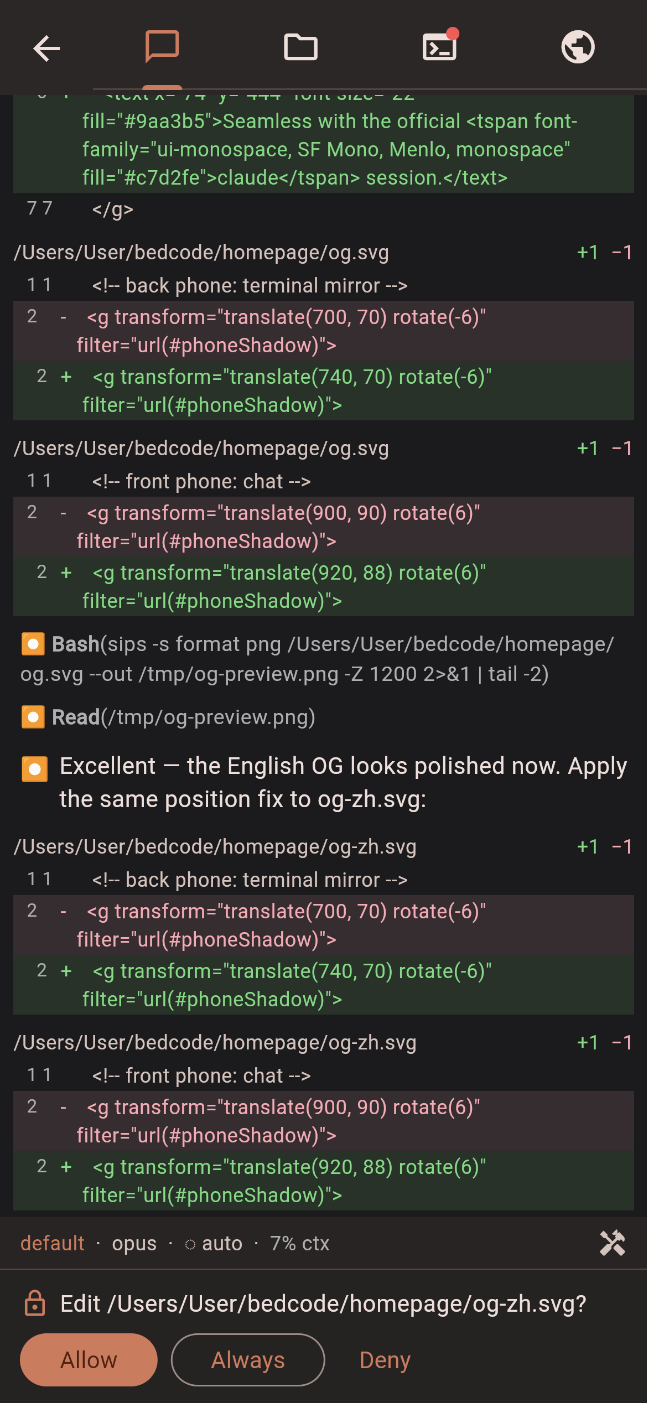
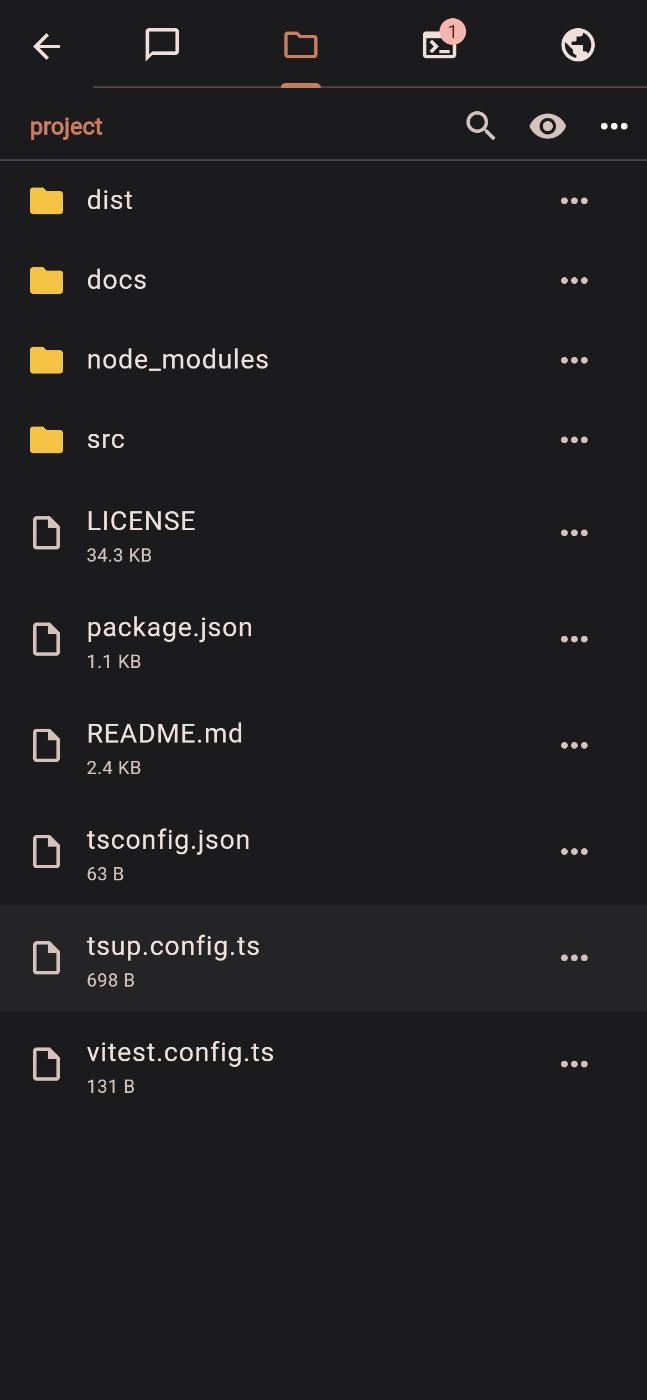
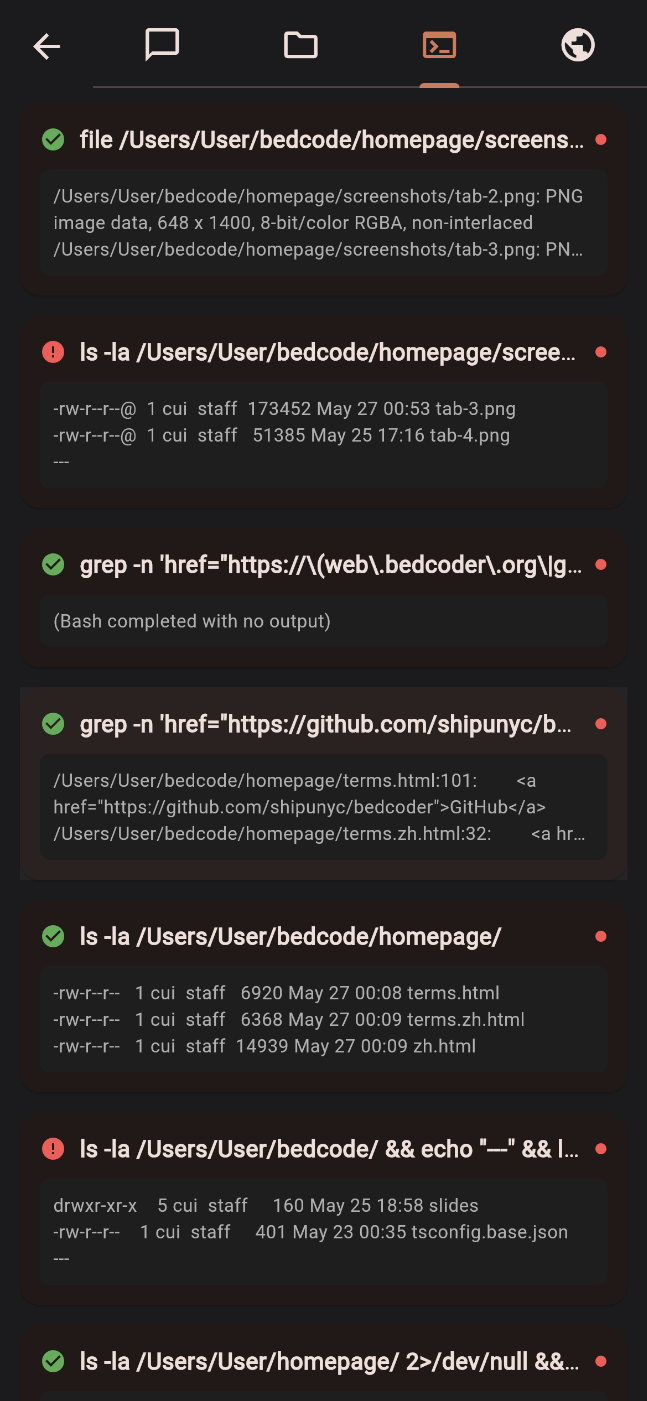
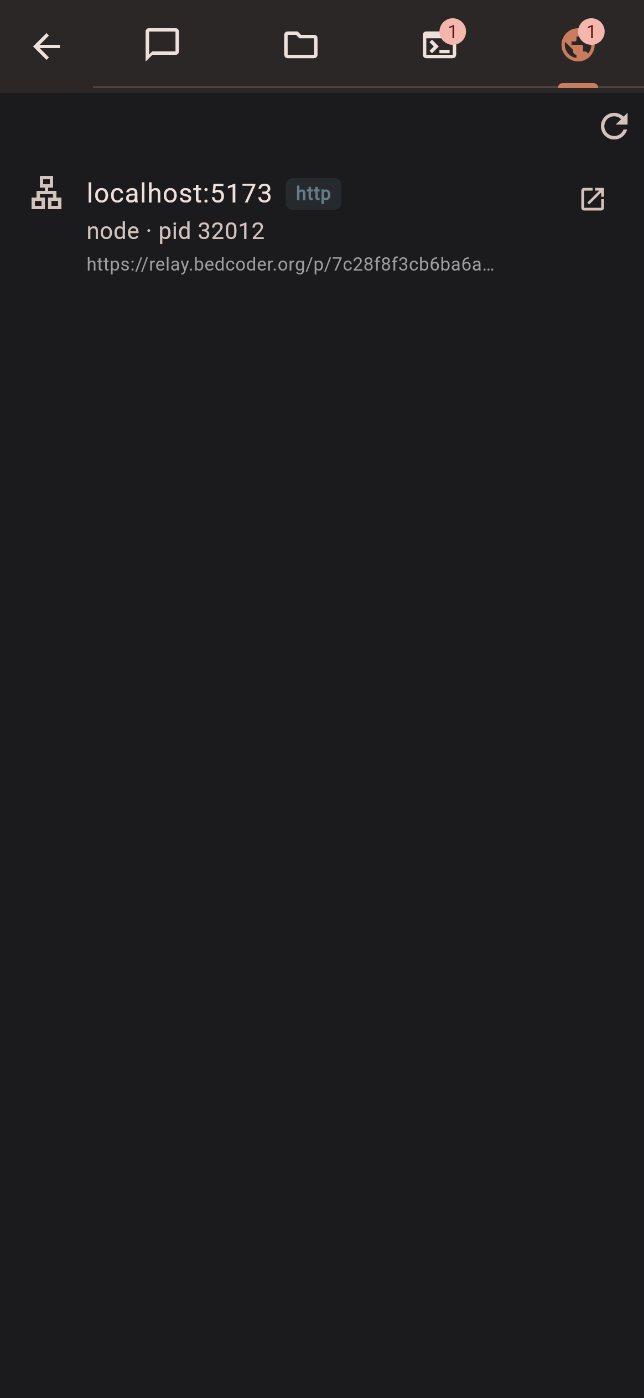
Not a replacement — an ultra-thin headless daemon (~5 MB RAM, under 2,000 lines) built on the official Agent SDK, reusing your ~/.claude session. Hand off between desktop and phone with context intact.
The desktop shows an 8-character code; enter it on your phone and verify a 6-digit SAS once. No accounts, no login, no email.
X25519-paired keys with XSalsa20-Poly1305 payloads; the relay only forwards ciphertext and never sees content or keys. Pairing verifies a commitment + 6-digit SAS to stop a man-in-the-middle.
One command spins up the relay — a single static Go binary on your own server, with zero lock-in; a public instance is available too. The phone just opens a browser — nothing to install.
Token-by-token streaming, green/red diffs, live task lists, tool output, rich permission cards, a model picker (Opus 4.7 · Sonnet 4.6 · Haiku 4.5) and a context-usage indicator — a quick-action bar tuned for vibe coding.
Beyond Claude (Anthropic), bedcoder also speaks MiniMax, GLM (Z.AI), DeepSeek and OpenRouter — switch providers with one flag (--claude / --minimax / --glm / --deepseek / --openrouter) and pin any specific model with --model.
Watch hosted terminals (like a dev server) live on your phone, open localhost ports in a built-in preview, and browse the project's files — right from the app.
bedcoder --worktree feat-x runs a conversation in its own git worktree, so you can drive several tasks on one repo at once — each shows up as a separate conversation.
GUI screen-casting over WebRTC P2P, and native iOS / Android apps.
| Feature | Official RC | Happy | 👑 Bedcoder |
|---|---|---|---|
| Terminal interaction | ✕ | ✕ | ✓ |
| Terminal mirror | ✕ | ✕ | ✓ |
| Localhost preview | ✕ | ✕ | ✓ |
| File manager | ✕ | ✕ | ✓ |
| Parallel git worktrees | ✕ | ✕ | ✓ |
| Session interoperability with official claude | ✓ | ✕ | ✓ |
| Extra desktop TUI required | — | Yes tied | No headless |
| P2P direct connection | ✕ | ✕ | soon |
✓ Available now · soon Planned · ✕ Not supported · — N/A
bedcoderInstall once with npm i -g bedcoder, then run bedcoder in your project. A thin headless daemon shows a pairing code + QR — no conversation is rendered locally.
Open web.bedcoder.org, enter the code, and confirm the 6-digit SAS matches on both ends.
Send prompts, approve permissions, watch streaming replies; back at your desk, claude --resume picks it right back up.